Every meeting documented. Every action followed through.
Meeting minutes and action tracking for recurring team and department meetings. Every action gets an owner, a due date and reminders, so nothing waits for the next meeting to be remembered.
30 days free · No credit card needed
- Nothing to install
- Automatic email reminders
- Computer, tablet and phone
- Data stored in the UK
The Problem
Why meeting actions go missing.
Meetings rely on a mix of tools, emails and manual processes to keep things moving. But once the meeting ends, actions can easily be forgotten, deadlines missed and follow-ups overlooked.
Before the meeting
With Meeting Manager: Everyone's invited and the meeting is ready
Calendar invitations go out, and last meeting's notes and open actions are already there.
Instead of: updates are chased by email
In the meeting
With Meeting Manager: Notes and actions in one place
Notes are taken under each item, and every action gets an owner and a date.
Instead of: nobody's sure who owns what
After the meeting
With Meeting Manager: Minutes and actions are ready straight away
The minutes go out when the meeting ends, and the action list is shared and live.
Instead of: one person keeps the list
Between meetings
With Meeting Manager: Automatic reminders do the chasing
Owners are reminded before each due date, and managers get a summary of what's late.
Instead of: nobody chases until it's too late
At the next meeting
With Meeting Manager: Overdue work is flagged
Late actions come back to the meeting with the owner's explanation.
Instead of: late work goes unnoticed
How Meeting Manager keeps every meeting on track.
From one meeting to the next, the follow-up takes care of itself.
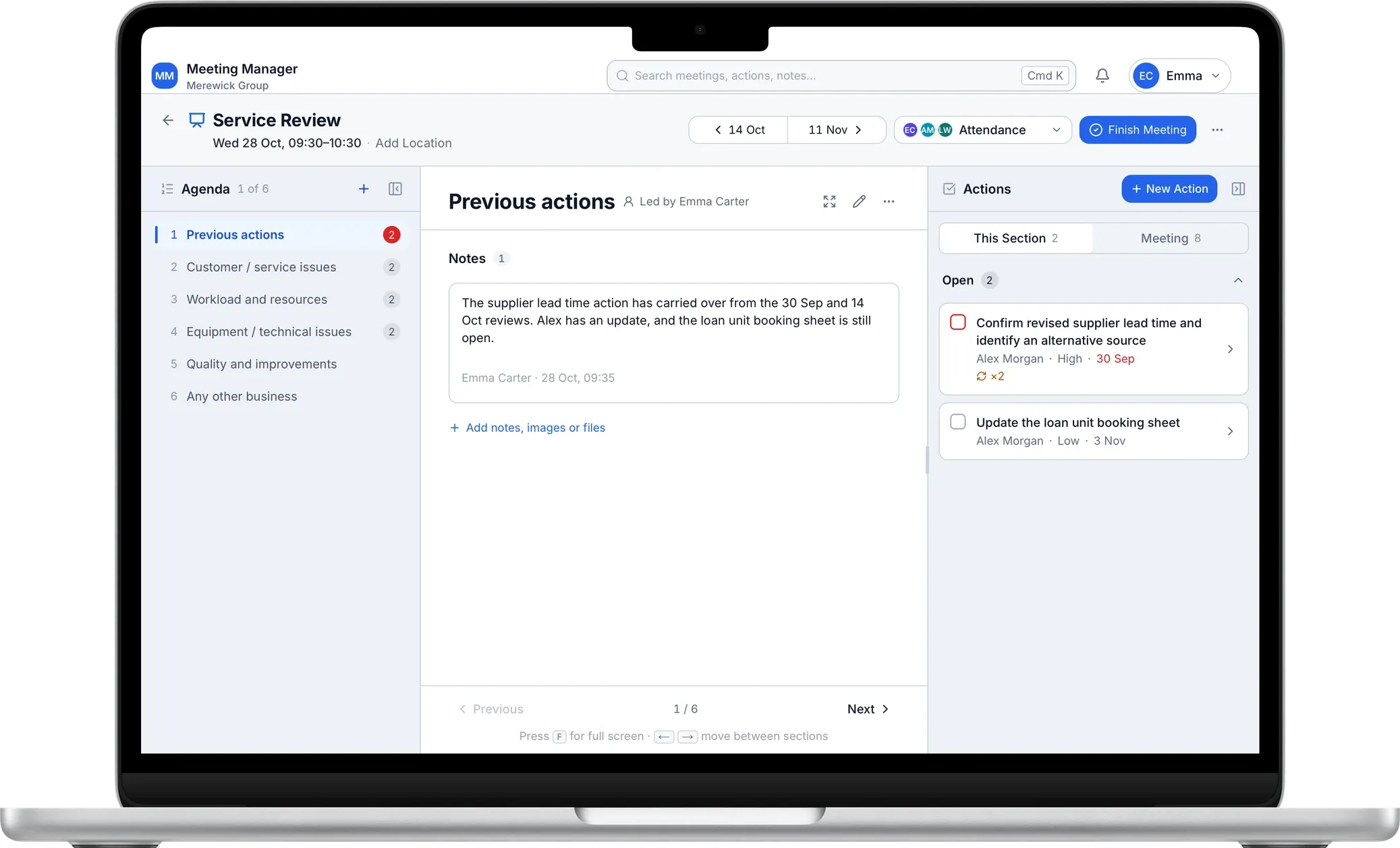
The agenda is ready before you are
Every meeting opens with your department's sections and every open action from last time. Nobody copies last month's document again.
Service Review · Agenda
- 1Previous actions2
- 2Customer / service issues2
- 3Workload and resources2
- 4Equipment / technical issues2
- 5Quality and improvements
- 6Any other business
Carried in from earlier reviews
Confirm revised supplier lead time and identify an alternative source
Update the loan unit booking sheet
One owner, one date
Actions are raised in the meeting, and the owner hears about it straight away.
Compare the two distributor quotes
The chasing is done for you
Reminders before an action is due, and an alert when it's late.
Reminder
Ask the second distributor for a firm delivery date
Due tomorrow
Overdue
Confirm revised supplier lead time
Alex is asked to explain
Late work is explained
When an action slips, the owner says why, in their own words.
Nothing is quietly dropped
Unfinished actions carry to the next meeting, showing how many times.
Confirm revised supplier lead time
- 30 SepRaised in the Service Review
- 14 OctCarried to the next review
- 28 OctCarried again, on the agenda
See who delivers
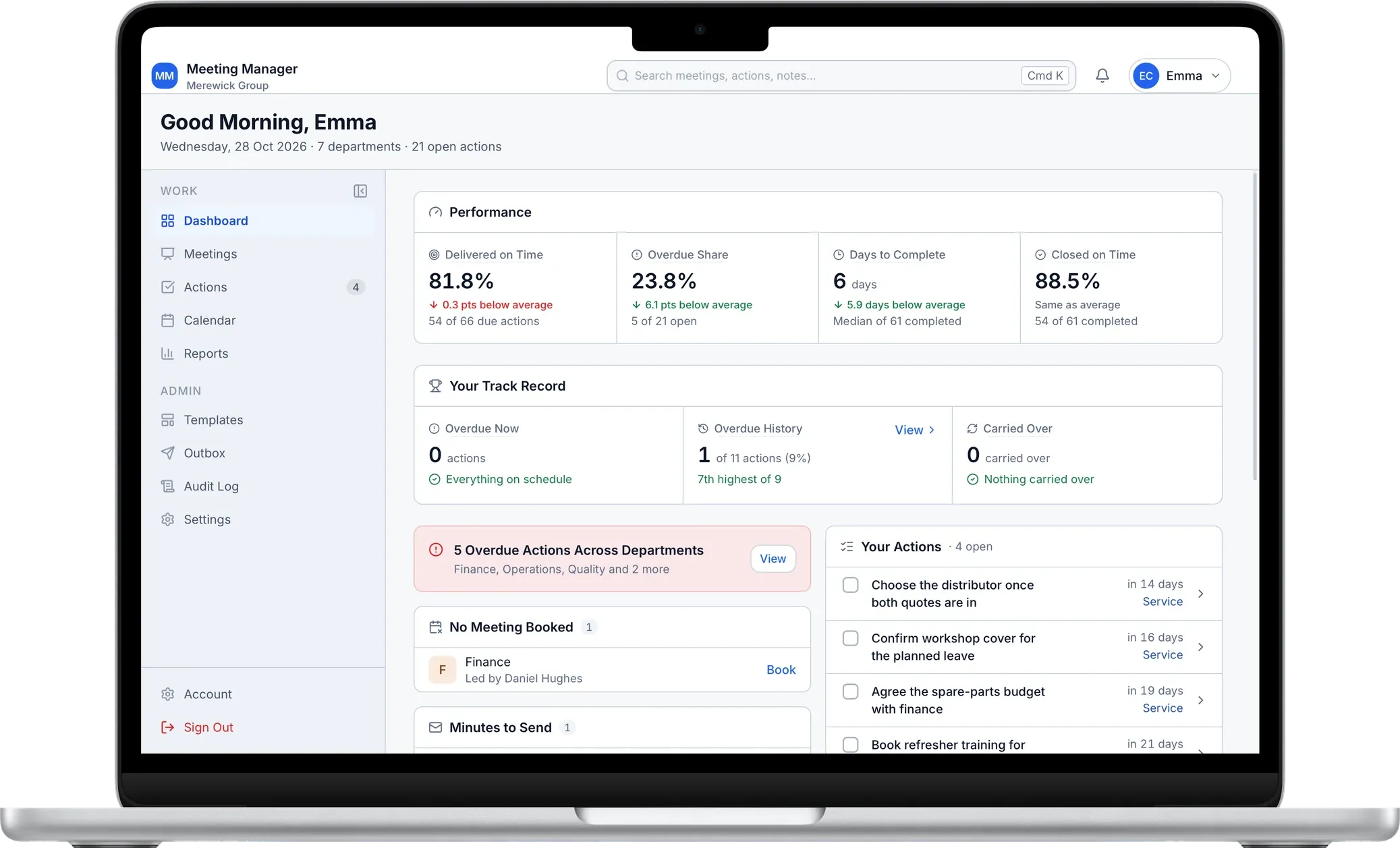
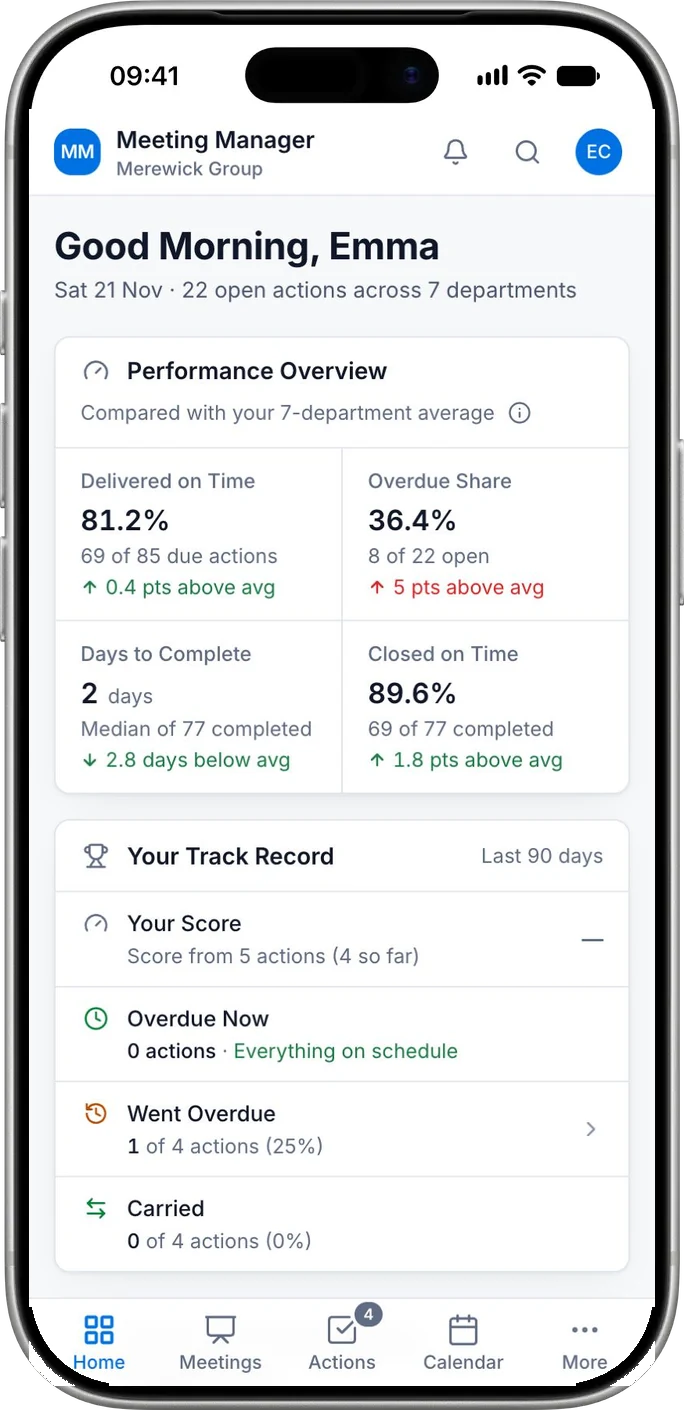
Everyone has a track record for the last 90 days, and the dashboard shows what needs attention in every department.
- Delivered on time and closed on time for each person
- Overdue now, past overdue and carried-over counts
- Every figure compared with the average across your departments
Your Track Record
Last 90 days- Delivered on time
- 81.8%
- Closed on time
- 88.5%
0
Overdue Now
1
Overdue History
0
Carried Over
What does meeting follow-up cost you now?
Most of the time goes on the admin around the meeting, not the meeting itself.
Use your own numbers
Add up the time spent writing minutes, updating the action list and chasing people between meetings.
Time spent on meeting admin
96 hours a year
About £2,880 of people's time.
Meeting Manager is £490 a year for your whole company.
It keeps the action list, sends the reminders and does the chasing, and the minutes are ready when the meeting ends.
Built for the meeting your team has every month.
Booking apps get people in the room. Note-takers write down what was said. Neither checks that the work gets done.
Already using something?
| If you use… | It helps with | It leaves to you |
|---|---|---|
| A booking app | Finding a time | The agenda, the minutes and chasing the actions |
| A note-taker that joins the call | A written record of the call | Owners, deadlines, chasing, and meetings held in a room |
| A spreadsheet action log | A list | Reminders, explanations, history, and the person who keeps it up to date |
| Meeting Manager | Live meeting notes, owned actions and automatic reminders, for every recurring department meeting | Booking people outside your company, which your calendar already does |
A booking app
- It helps with
- Finding a time
- It leaves to you
- The agenda, the minutes and chasing the actions
A note-taker that joins the call
- It helps with
- A written record of the call
- It leaves to you
- Owners, deadlines, chasing, and meetings held in a room
A spreadsheet action log
- It helps with
- A list
- It leaves to you
- Reminders, explanations, history, and the person who keeps it up to date
Meeting Manager
- It helps with
- Live meeting notes, owned actions and automatic reminders, for every recurring department meeting
- It leaves to you
- Booking people outside your company, which your calendar already does
How Meeting Manager works.
The same routine for every department, every time it meets: plan, document, assign, follow through and report.
Step 1 · Plan
Agendas that start where the last meeting finished
Set up a template for each department once. Every new meeting opens with the sections you always cover and the open actions from last time, so nobody copies last month's document again.
- Reusable agenda templates for each department
- Open actions from the last meeting included automatically
- Calendar invitations for Outlook, Google Calendar and Apple Calendar
Step 2 · Document
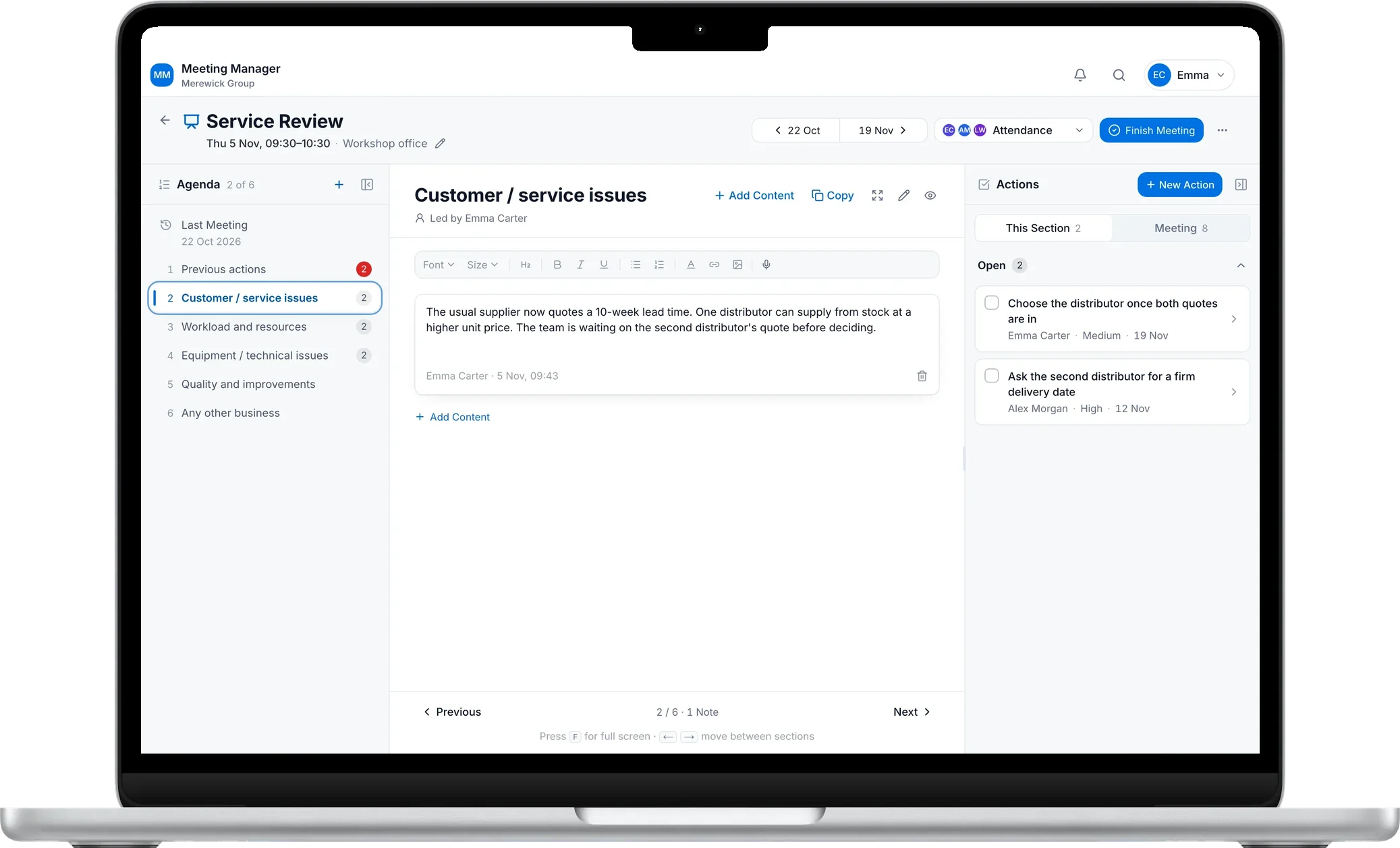
Minutes written during the meeting, not after it
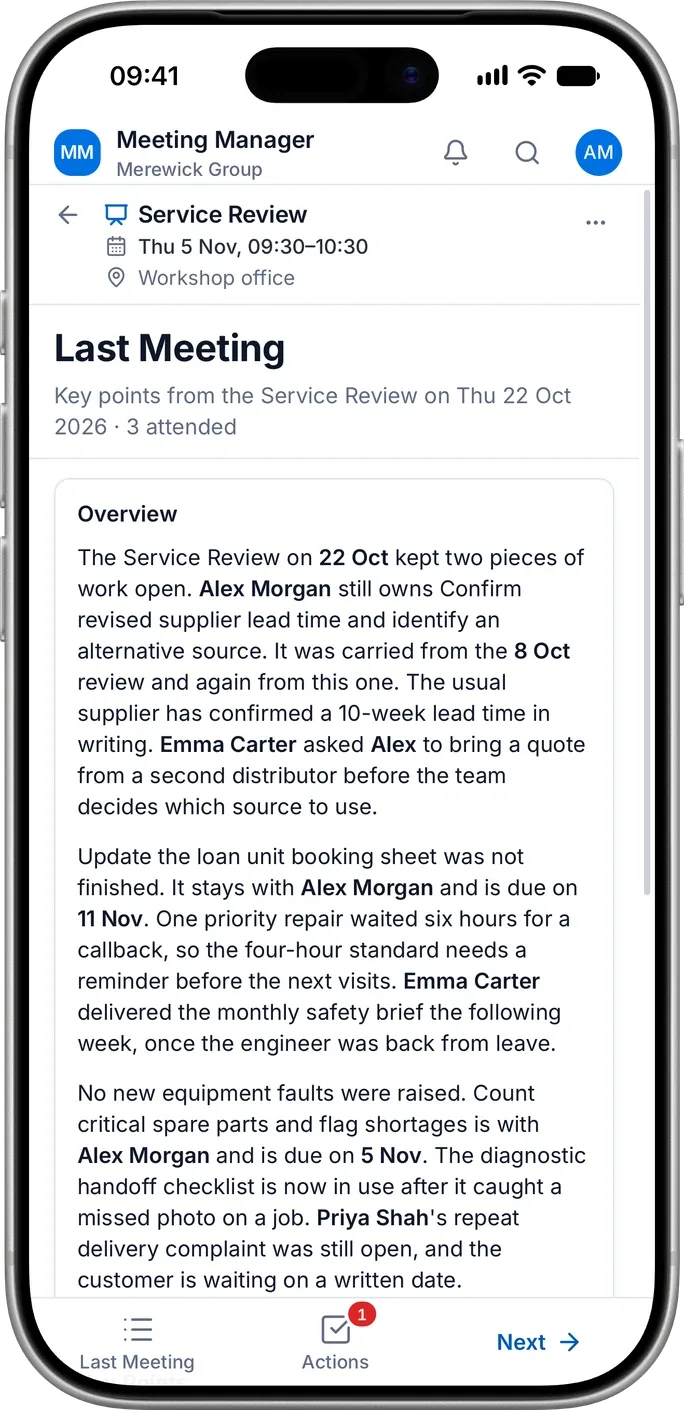
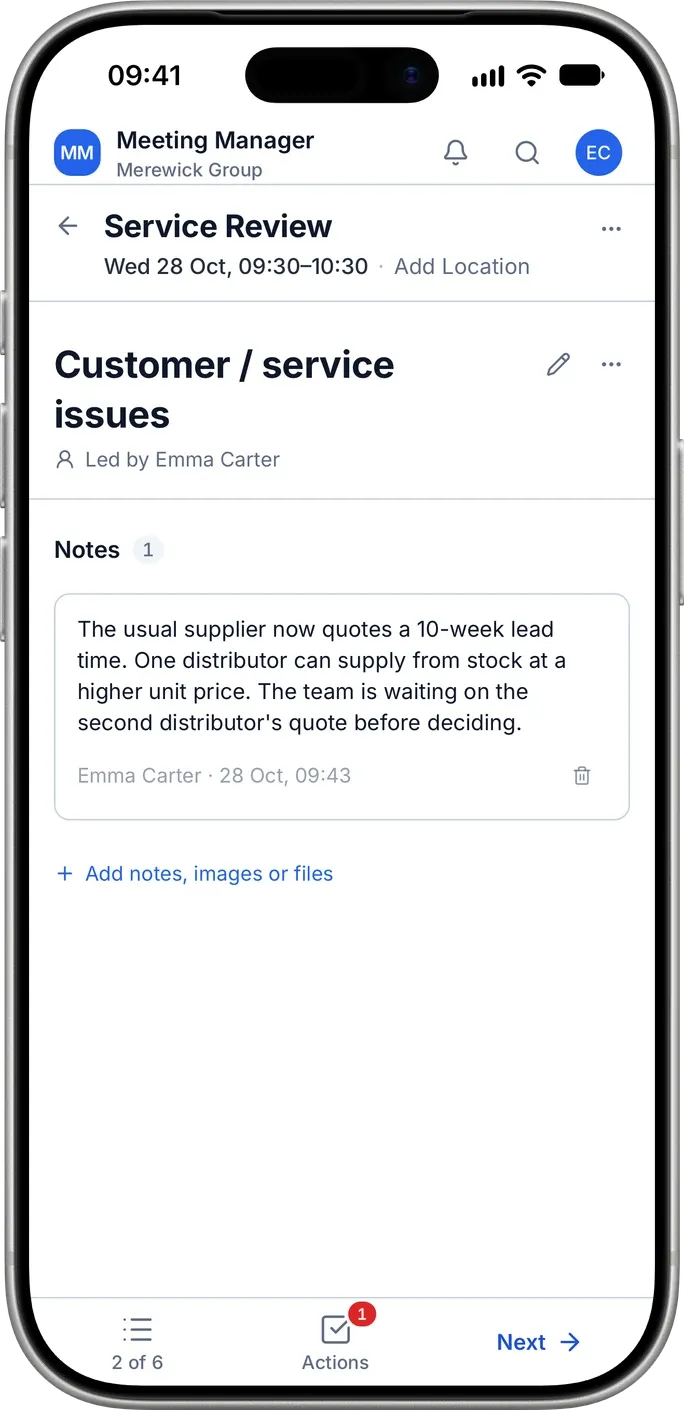
Put the meeting on the room's screen in full screen and take notes together under each agenda item. Record who attended and attach files as you go. When the meeting finishes, the minutes are ready to send.
- Everyone can add notes, and they appear live for the whole room
- Notes, images and files under each agenda item
- Attendance recorded in the meeting
Step 3 · Assign
Every action has an owner and a due date
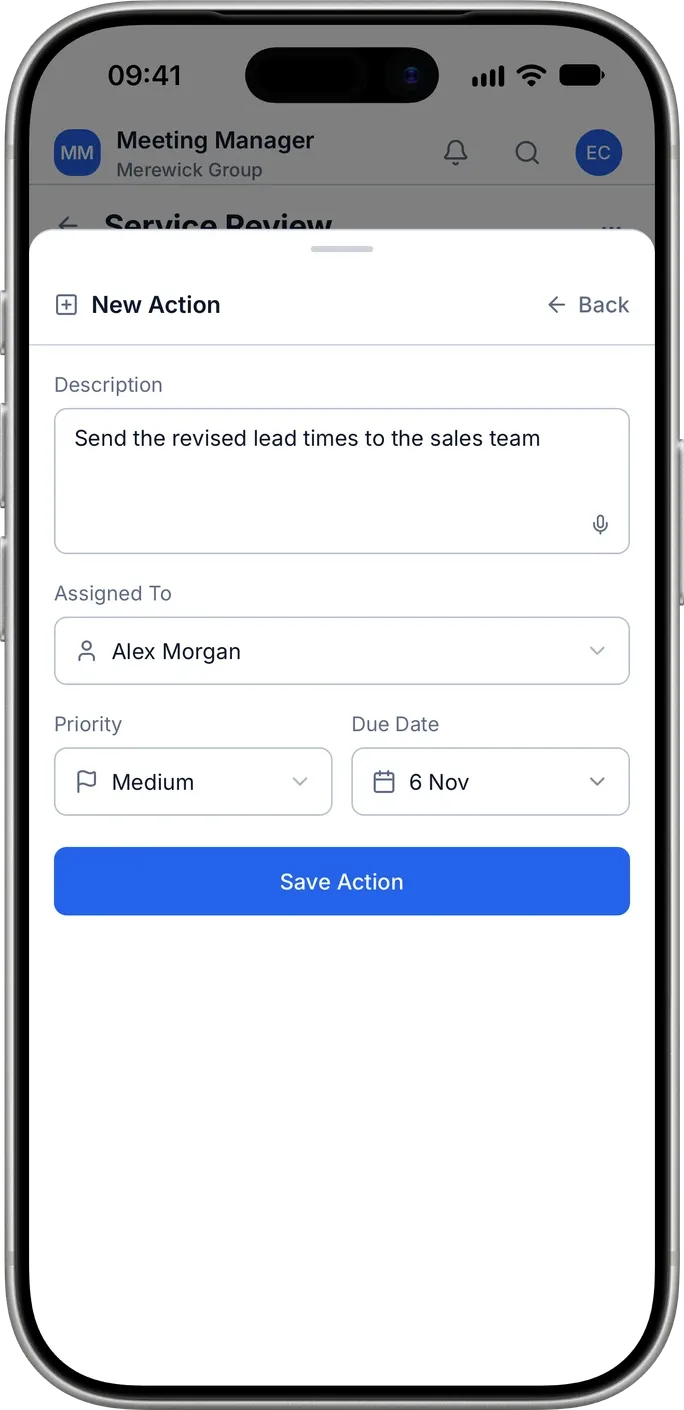
Raise actions in the meeting, against the agenda item they came from. The owner gets an email straight away, and the action joins their own list on any device.
- Owner, priority and due date on every action
- Assignment email as soon as the action is raised
- Everyone sees their own actions, even on their phone
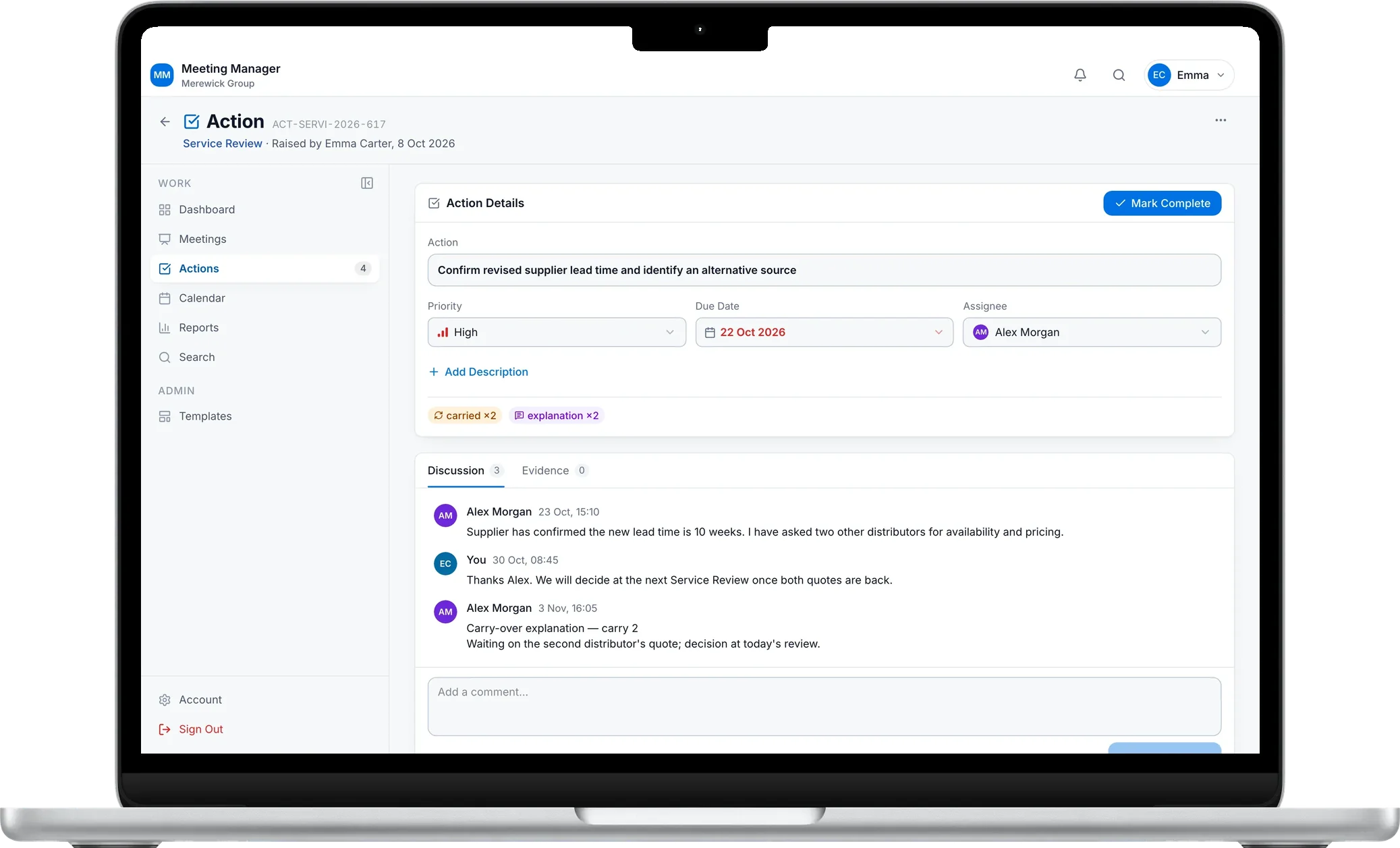
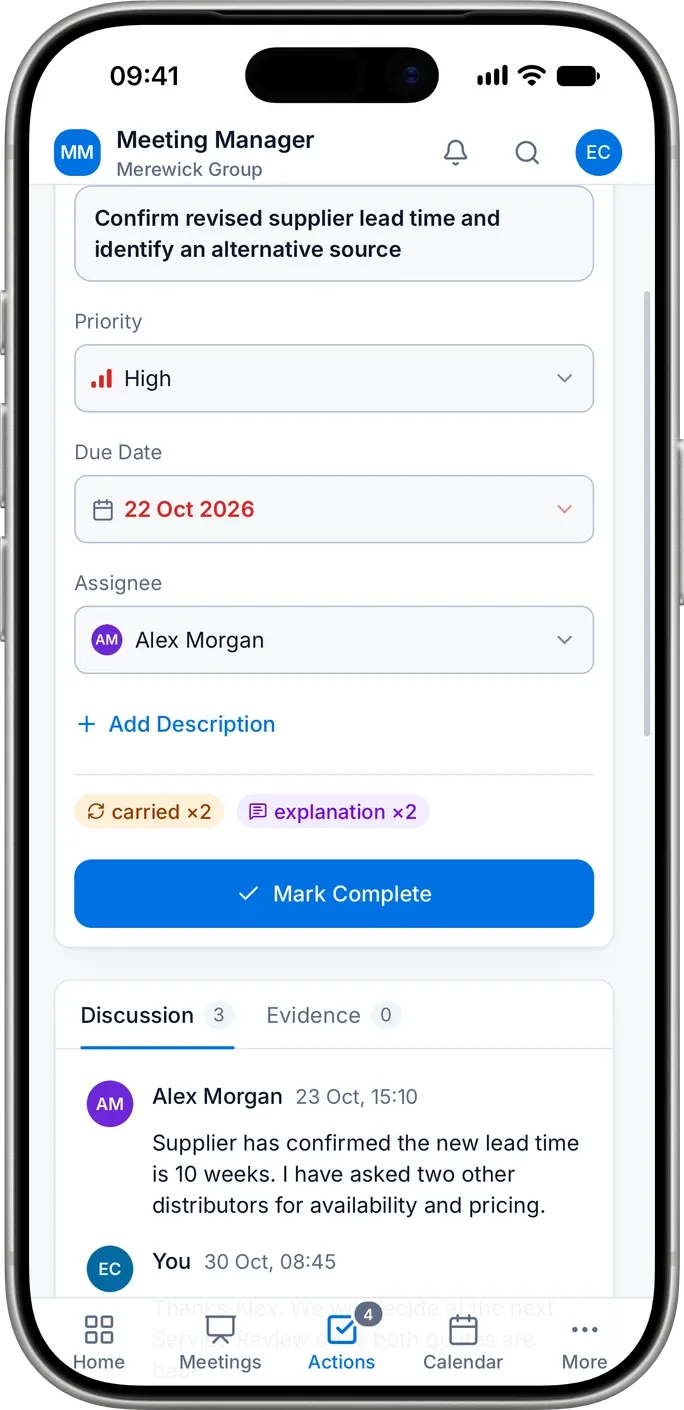
Step 4 · Follow Through
Follow-up that doesn't rely on someone chasing
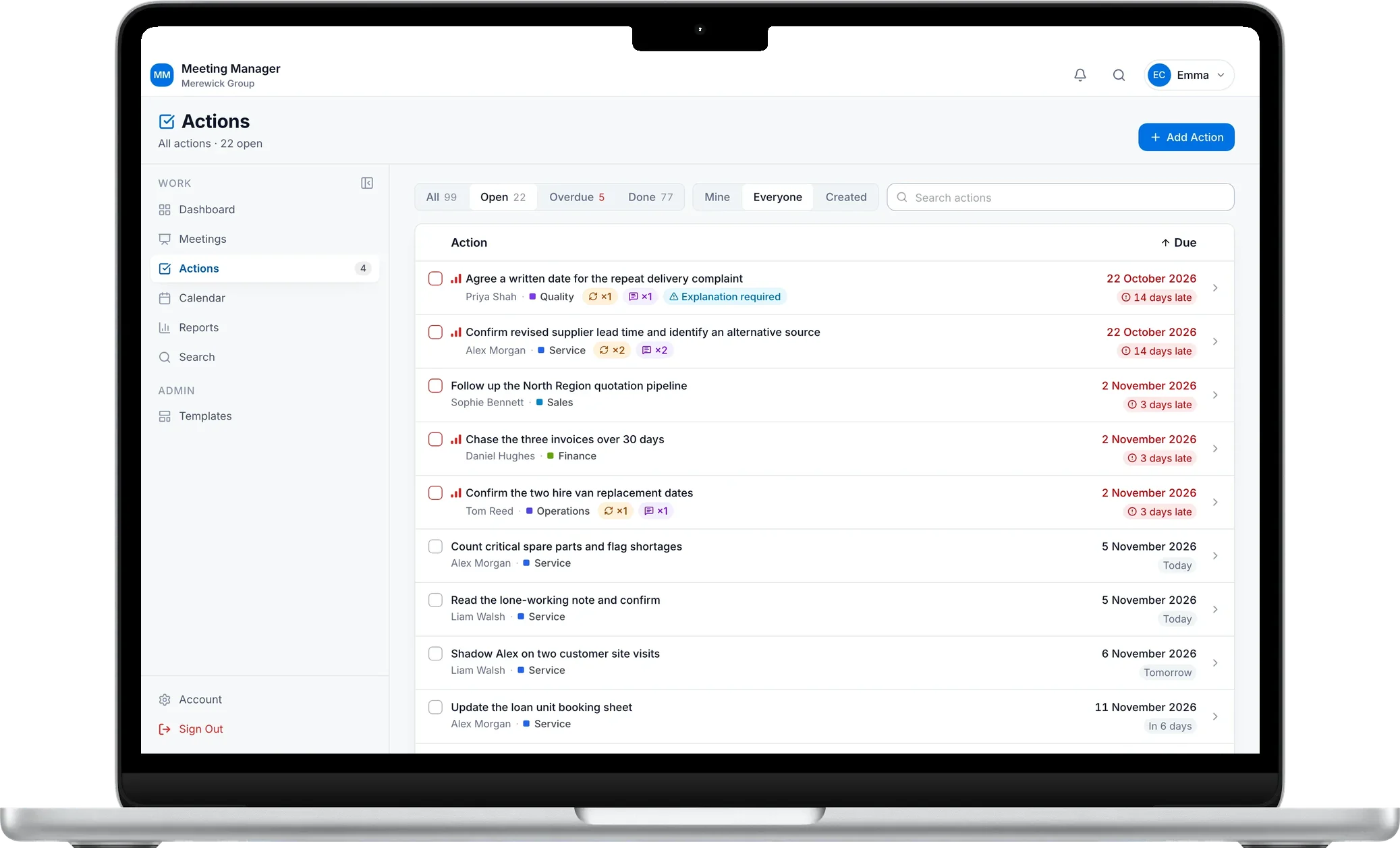
Between meetings, Meeting Manager does the chasing. Late actions are flagged, owners explain what's happening, and anything unfinished comes back to the next meeting.
- Reminders before an action is due, alerts when it's overdue
- Owners explain late actions in their own words
- Unfinished actions carry forward, with a count of how often
- Every action closes with a completion note, and evidence where needed
Step 5 · Report
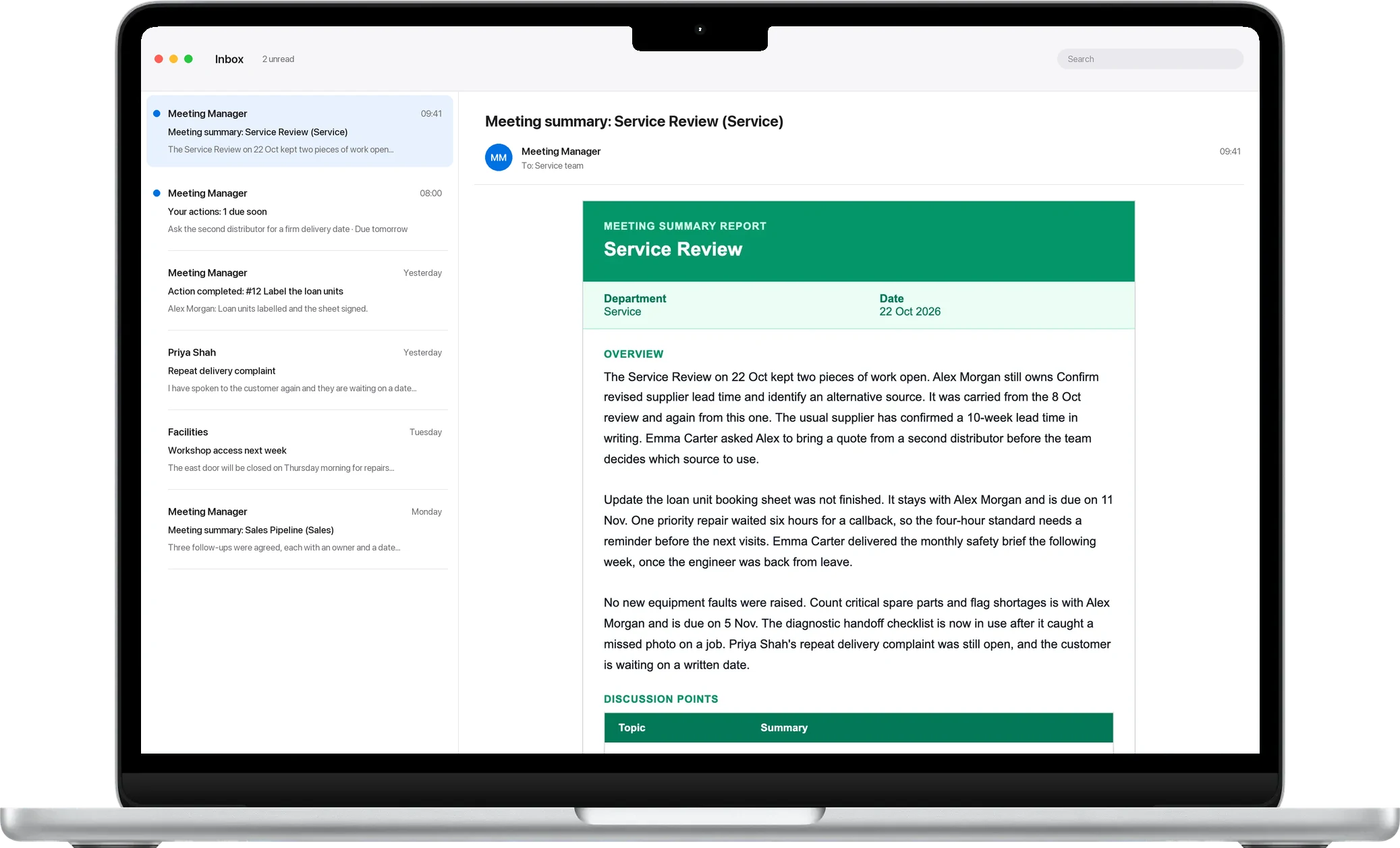
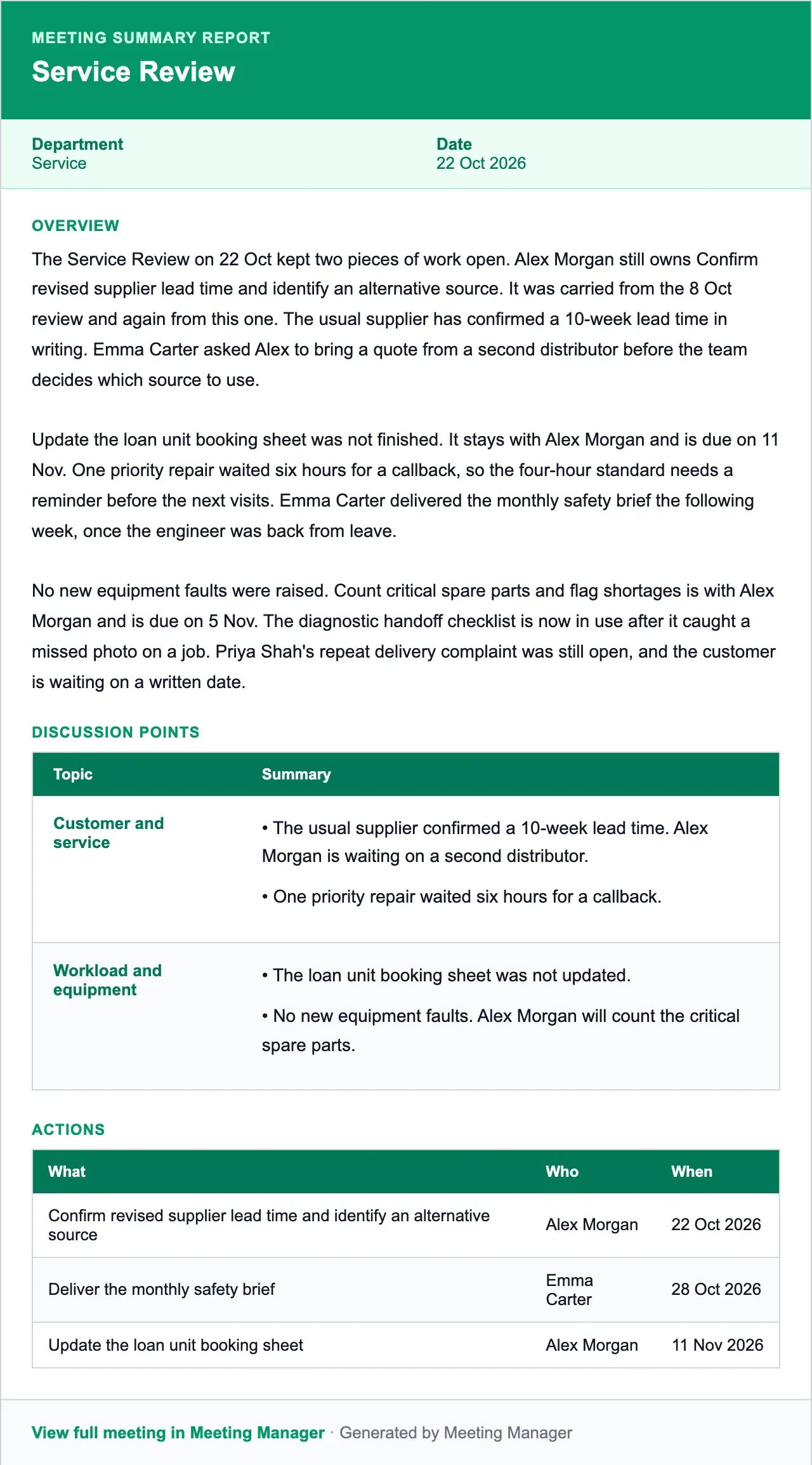
The minutes in everyone's inbox
When the meeting is wrapped up, everyone gets a clear report by email: an overview, the points discussed and every action with its owner and due date. Managers who weren't in the room get it too.
- Overview, discussion points and actions in one email
- Sent to the people at the meeting and the managers set in Settings
- Dashboard and reports show what is on track afterwards
See it with your own meetings.
30 days free. Set up your departments and run your next meeting in Meeting Manager.

Try it with your next team meeting.
30 days free. No credit card needed.
Start your trial: 30 days free
- 30 days free, no card needed
- Every feature included from day one
- Your next meeting documented, with its actions followed up
30 days free. Every feature, with no credit card needed.
Start Free TrialOne price for the whole company.
A straightforward company price. Every feature, listed below, is included.
Meeting Manager
£49/ month
Per company, not per user.
30 days free · No credit card needed
Included in your plan
- Up to 25 usersOne subscription for your team
- Up to 25 departments
- Unlimited meetings and actions
- 5 GB file storage
- Email reminders
- Calendar invitations
Optional extras, once your plan is paid
- 5 extra users and departments: £10 a month
- 10 GB extra storage: £5 a month
- 50 extra AI wrap-ups and 10 h dictation a month: £10 a month
Everything in one plan.
No add-ons and no feature tiers. Every company gets all of it.
Meetings
- Department agenda templates
- Previous actions on every agenda
- Meeting notes, images and files
- Attendance records
- Calendar invitations
- Minutes for people outside the company
- Optional AI summary of the notes and actions, and voice dictation
Actions
- Action owners, priorities and due dates
- Assignment emails and due-date reminders
- Overdue alerts and explanations
- Automatic carry-over
- Completion notes and evidence
- Guests from outside the company update their action from an emailed link
Reports
- Minutes by email
- Dashboard and reports
- Personal track record
- Search across every meeting
Security
- Full audit trail
- Roles and divisions
- Two-factor sign-in
- Data stored in the UK
Made for the meetings your departments already hold.
From weekly service reviews to leadership meetings, every department works the same way.
- Service
- Weekly service reviews covering customer issues, workload and equipment, with every fix tracked to done.
- Sales
- Pipeline and forecast meetings where every follow-up has an owner and a date.
- Quality
- Quality and management reviews with a complete record of decisions, actions and evidence for audits.
- Engineering
- Project and technical meetings that keep design actions and blockers moving.
- Operations
- Daily and weekly operations meetings that track each issue until it is closed.
- Management Team
- Leadership meetings with a clear view of overdue actions across every department.
Questions teams ask before they start.
No. Hold your meeting in person or on your usual video tool, then use Meeting Manager to document it and follow up the actions.
A note-taker records and summarises a call. Meeting Manager doesn't record anything. It's where agreed actions live afterwards: each one has an owner and a due date, reminders go out by email, late ones need an explanation, and unfinished ones come back to the next meeting.
It is designed for recurring departmental meetings in Service, Sales, Quality, Engineering and Operations teams.
No. Booking apps help people outside your company pick a time with you. Meeting Manager is for the meetings your departments already hold every week or month: it plans the agenda, documents the meeting and follows every action through. Each meeting sends a standard calendar invitation.
They carry forward to the next meeting automatically, so they are reviewed again. Each action shows how many times it has been carried, and the owner is asked to explain late actions.
No. Meeting Manager runs in the web browser on a computer, tablet or phone, so there is nothing to install.
It sends standard calendar invitations that work with Outlook, Google Calendar and Apple Calendar, and all reminders arrive by email. There are no other integrations today.
Meeting records, actions and files are stored in London, UK. Our Privacy Policy lists every provider we use.
Yes. You can send the minutes to people outside your company, and add someone outside your company as a guest on one action. They open it from an emailed link and confirm a 6-digit code, with no account needed, then post updates or ask to close it.
Up to 25 users and 25 departments on one company subscription, for £49 a month or £490 a year.
30 days free, with the full product and no card needed. Your trial starts as soon as you confirm your email. At the end of the trial, choose a plan to keep going; if you don't, your workspace becomes read-only and is deleted after 30 days.